Cut the Fat From Your Microsoft 365 Licensing
You might already know this, but it is almost guaranteed that you are overpaying for Microsoft 365. If you took your Microsoft sales rep at their word, remove that ‘almost’ from the previous sentence.
The complex licensing structures that Enterprise contracts require are designed to confuse and inflate your spending, compliance liability, and make it harder to track who is using what.
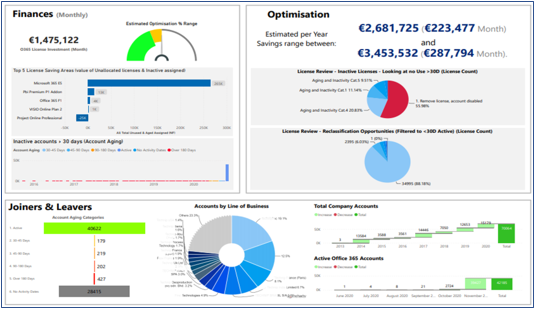
Visualize Your Microsoft 365 Savings
Audit Defense Made Easier
Take Advantage of a Modern License Structure
You're Over-Paying for Microsoft 365
There are workers who are draining your IT budget through no fault of their own. And Microsoft has no interest in telling you who or where they are in your organization.
Slim 360 gives you the visibility you need to find those workers, review their usage patterns and optimize your Office 365 Licenses to suit their actual measured software needs.
What Are People Saying About SLIM 360?

Stop Looking at Spreadsheets and Start Looking at Savings
Pulling thousands of lines of data and poring over spreadsheets is inefficient and strenuous. It leaves plenty of room for misinterpretation of the data and opens your organization to missed opportunities for massive savings.
By compiling your data from several different sources and presenting it in an easy-to-understand fashion, Slim 360 helps you not only unlock savings in your licensing but also allows you to quickly see the money you could be saving by optimizing your licensing.
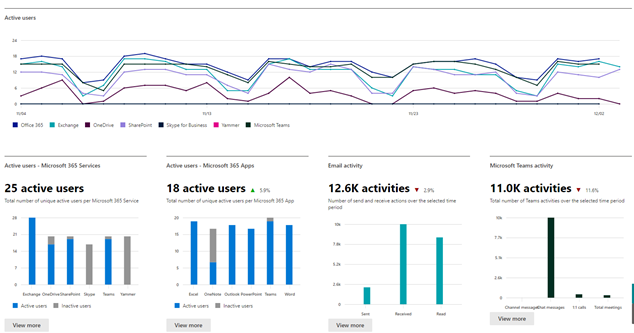
Slim 360 provides unique views of your Office 365 usage data. These different licensing views allow you to make more efficient and effective changes to your licensing more accurately and much faster. The built-in logic within SLIM 360 also reduces the chances of human error entering the equation too.

Slim 360 allows IT professionals to secure their network by closing access channels that can often be neglected or outright forgotten in large, complex organizations.
SLIM 360 will alert you if suspicious activity such as mass downloads, compromised accounts and if there is someone accessing the apps from an unrecognized IP or region.
What Are Our Customers Saying?

See Where Your Software Budget is Going
By being able to visualize the licenses being used in your organization against the licenses you own, you can literally see where you are throwing money away.
You might think you know exactly who is licensed and what employees use which programs, but those assumptions are often wildly incorrect.
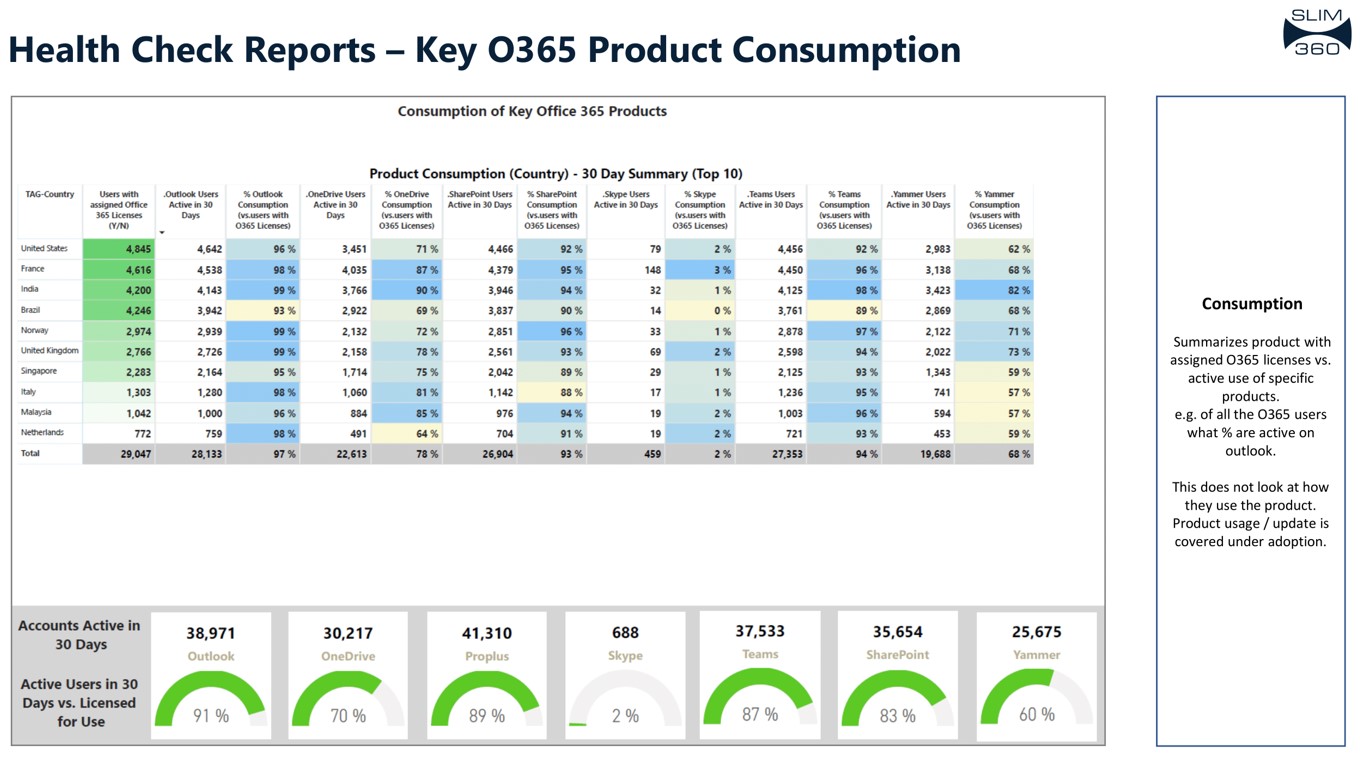
Seeing exactly what your employees are using with Slim 360 allows you to shore up any O365 and Azure investment being wasted on employees who don’t use the software they’re licensed for.
You can also prepare your organization for the years ahead – SLIM 360 keeps track of your company’s EA renewals and lets you know how much each true-up will cost, how much money is left in your renewal budget, and overall, when a renewal is coming.
On the Azure side of the operation, you’ll see your yearly commit costs and reservation costs as well.
A Cleaner Environment is a Secure Environment
Knowing who is coming and going in your licensing environment is a vital part of maintaining control of your software budget and security. Paying for licenses that are still assigned to people who are no longer with the organization is one of the most common wastes across every organization and creates openings for malicious activity on your network.
Slim 360 lets you see at-a-glance how many assigned licenses are actually being used, so you can reorganize your licensing faster and with more confidence.
Stop Looking at Spreadsheets and Start Looking at Savings
Knowing who is coming and going in your licensing environment is a vital part of maintaining control of your software budget and security. Paying for licenses that are still assigned to people who are no longer with the organization is one of the most common wastes across every organization and creates openings for malicious activity on your network.
Slim 360 lets you see at-a-glance how many assigned licenses are actually being used, so you can reorganize your licensing faster and with more confidence.

Slim 360 allows IT professionals to secure their network by closing access channels that can often be neglected or outright forgotten in large, complex organizations.
SLIM 360 will alert you if suspicious activity such as mass downloads, compromised accounts and if there is someone accessing the apps from an unrecognized IP or region.
Audit Defense For All
Auditors love a messy environment. By making assumptions about how your licenses are being used, auditors can inflate your compliance gaps by millions of dollars. But that gets much harder when you know what licenses are being used and by whom.
By having an organized and comprehensive view of your Office 365 licensing, you’ll have the tools to defend yourself against the auditor’s assumptions and drive your fines down to more reasonable levels.
Slim 360 doesn’t just give you the tools needed to save money on your licensing, it gives you a way to push back and truly defend yourself against aggressive audits that take advantage of complex contracts and disorganized environments.
The Only Platform Built for the Enterprise Environment
While complex licensing contracts often result in overspending, untangling those webs creates a streamlined environment that allows you to take control of your software budget. Slim 360 is designed to provide actionable insights to your Office 365 licenses and Azure commitments so you can make informed decisions around your software budget.
For Enterprise-level organizations, the cost of over-licensing employees can result in millions of dollars per month being wasted, which is why Slim 360 is designed to compare your usage to the available licensing tiers and highlight where your employees are over-licensed, and how much it is costing you.
Slim 360 creates a streamlined and modern approach to Software Asset Management by organizing your licensing in a way that is both easy to understand and comprehensive. This approach makes license optimization more accessible and more efficient.

Give Your Office 365 a Health Check
Saving money on Office 365 doesn’t need to be a complex and labored task. By using Slim 360 from MetrixData 360, you can start seeing realized savings within six months. You’ll see exactly where your budget is being wasted. You’ll see what employees are over-licensed, under-licensed, or not licensed at all. Your compliance gaps will be laid out clearly, as well as the value gap in what you’re paying for.
Over-paying for software drains your IT budget, but it doesn’t need to. Book a meeting with MetrixData 360 today for a health check of your Office 365 licensing and find out how much you can save with Slim 360.
Make the most of your Office 365 and Azure assets by getting a health assessment from our experts. Click the button below to get started.
See if your organization has an Office 365 value gap – Click the button below to get a read-only health assessment.